Voice Entry Points
Define your customers’ voice experience with the Conversation Platform Console by creating new entry points for telephone numbers and voice assistants.
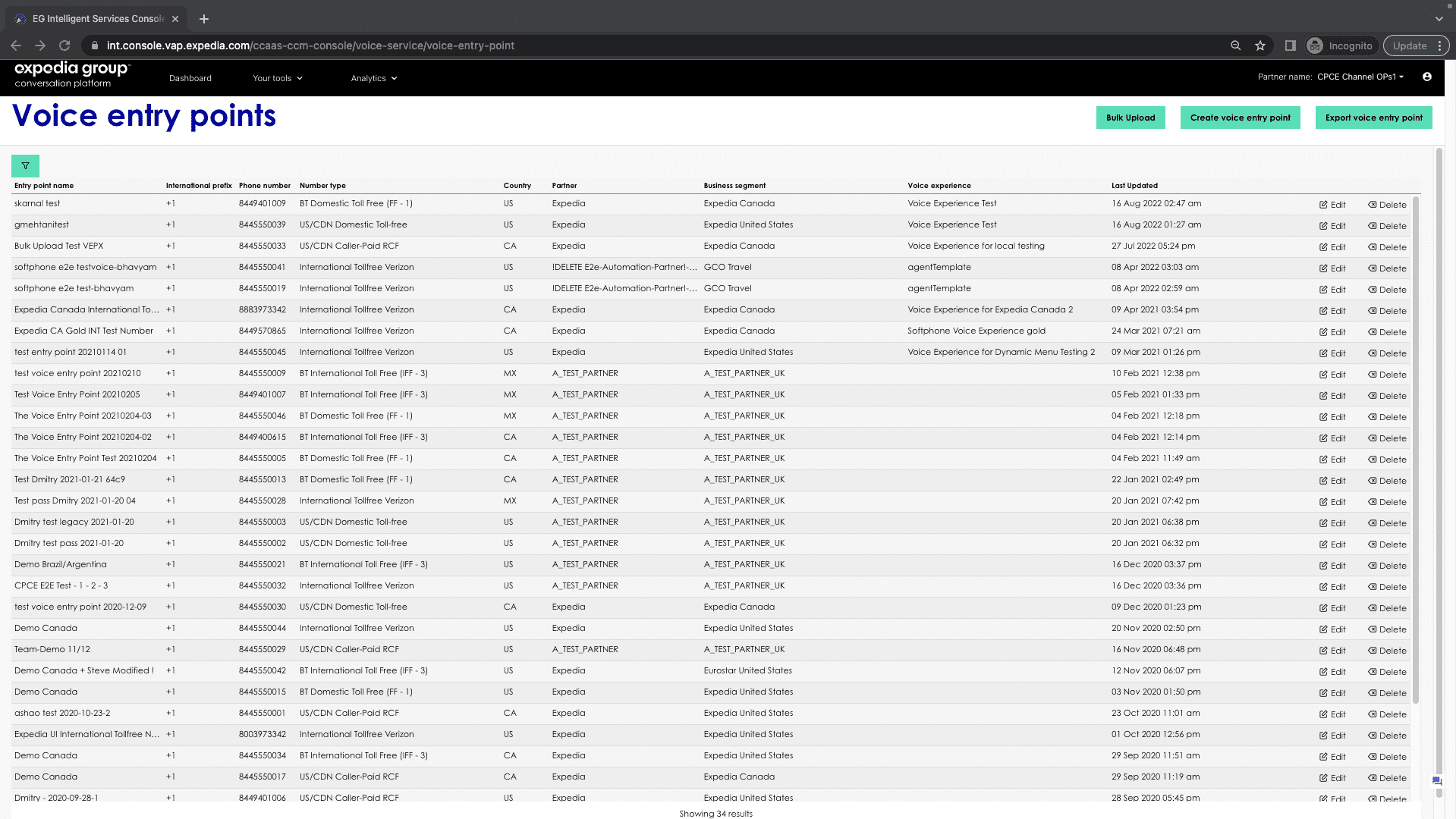
To access Voice Entry Point, select Contact Center Management > Voice configuration > Voice entry point:

Applies to
- CCaaS Admin Role
Creating a voice entry point
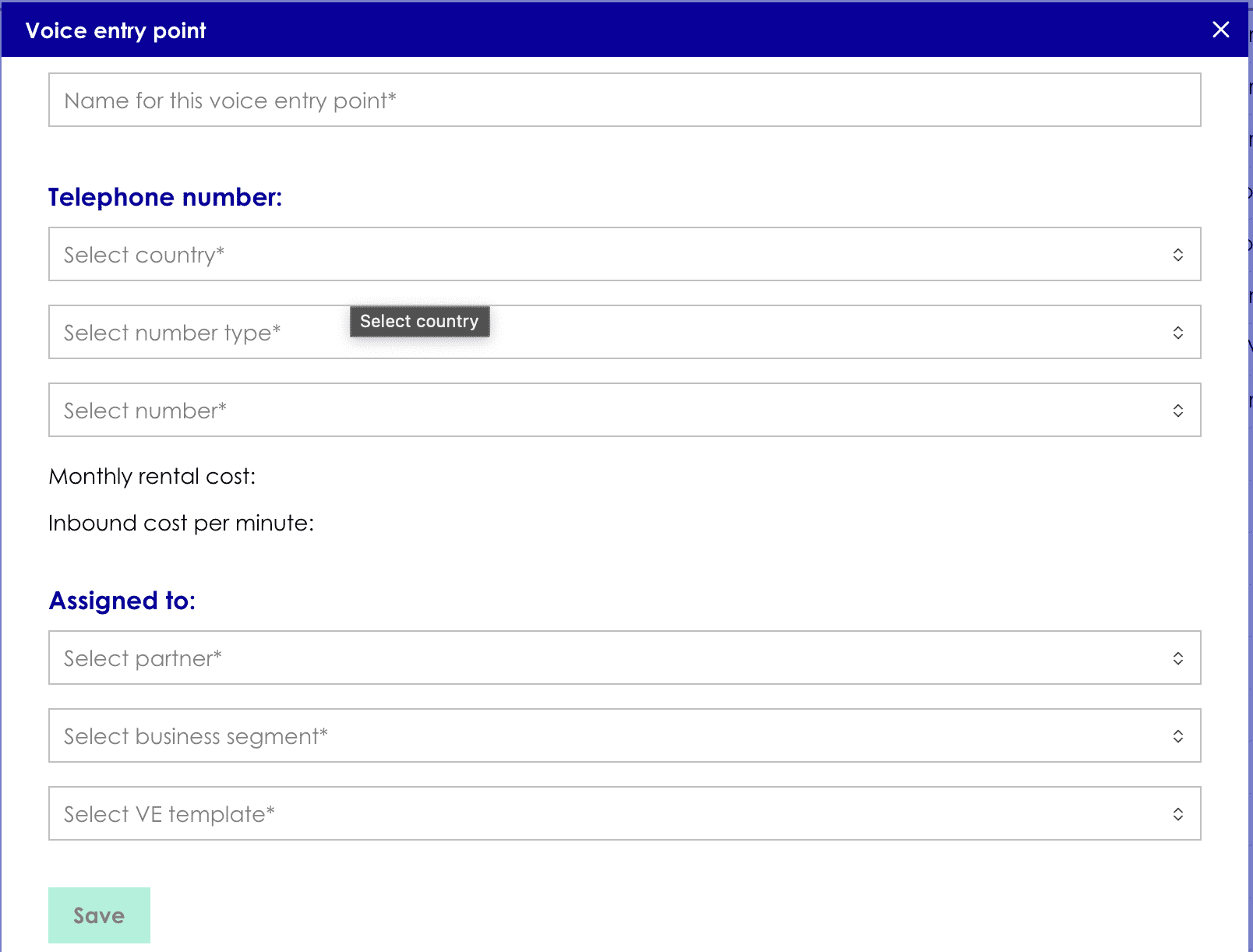
- Click the Create voice entry point button in the top right-hand corner of the list view to open the Voice entry point form.
- Enter the name of the new Voice entry point, this can be anything.
- In Telephone number, Select Country, Number type and Number. Monthly rental cost and Inbound cost per minute will get updated automatically.
- In Assigned To, Select Partner, Business segment and Voice Experience template.
- Click on Save.
Editing an existing voice entry point
- Find the Voice Entry Point in the list view and click Edit on the right-hand side. This opens the Voice Entry Point details window.

- Edit the contents of the desired fields.
- Click Save when you are done. The window will then close and return you to the list view.
Note: Only the voice entry point name and voice experience template are editable.

Delete Voice Entry Point
To delete a Voice Entry Point in the list view, click the Delete icon in the row you wish to delete.