Agent evaluation
The Analytics Console provides an out-of-the-box capability for the Playback of voice recordings from specific conversations. It includes Evaluation, the ability to score an agent’s performance per conversation.
Playback
The Voice Playback capability lets you listen to recorded Voice channel recordings within the Analytics Console. Recordings include all participants of a specific Conversation; traveler, supplier, and Virtual Agent participant recordings are listed by default. Agent recordings can be filtered further with the Agent Name dropdown.

High-level design

Navigation
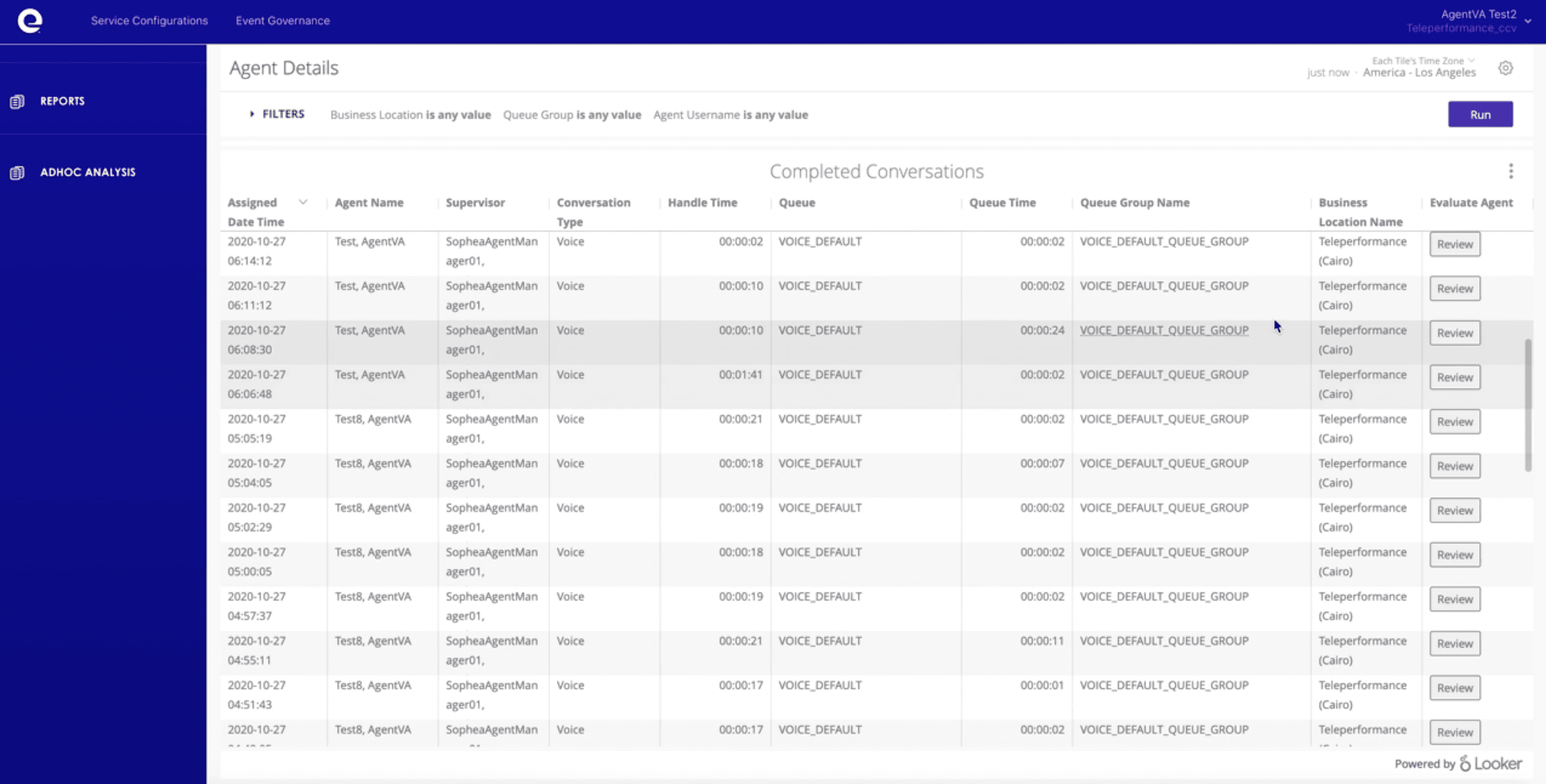
To reach the Playback page, find the session you’re interested in and click the Review button. This passes the conversation ID and partner ID to the playback page, which is then used to retrieve the recordings and agent details of that Conversation.
Alternatively, the playback page can be embedded as a link and the redirection should pass the conversation ID and the partner ID.
Access
To access the playback capability, your partner administrator needs to provide you access to Analytics Console and Playback permission.
Evaluation
The Evaluation capability lets you score an Agent’s performance for specific conversations. Each score persists for further analysis via reports.
Evaluation high level design

Navigation
The scoring form is accessible within playback page, but Playback and Evaluation are two distinct permissions.

Access
To access the scoring form, your Partner Admin must provide you access to Analytics Console and grant Evaluate permission.