Reporting Features
Analytics Console is a a one stop shop for all the reporting needs. It provides a set of analytics features that users can leverage to play around with data.
Copy Dashboard
Analytics Console now unlocks a new feature where in users can now copy the Out-of-box/shared dashboards from their personal/partner spaces and modify them as per their needs. The feature will help you to copy over the dashboard from a shared folder (based on the view access) to your personal folder/ partner space/ sub folders to make amendments as per your needs.
Use the following steps to copy dashboard:
- Click on copy icon present at right side of each dashboard.

- Select the destination folder in which you wish to copy.

- To copy in personal space, select personal space in first dropdown.
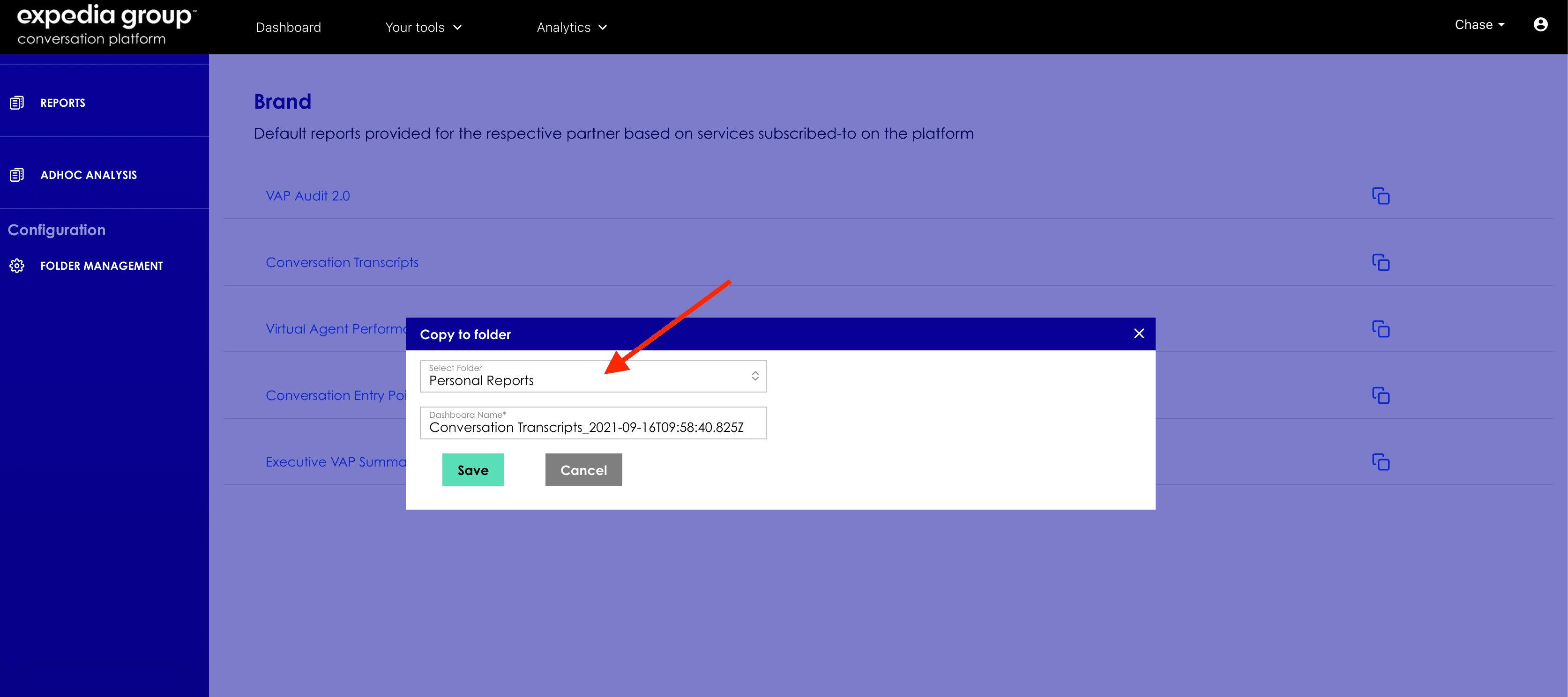
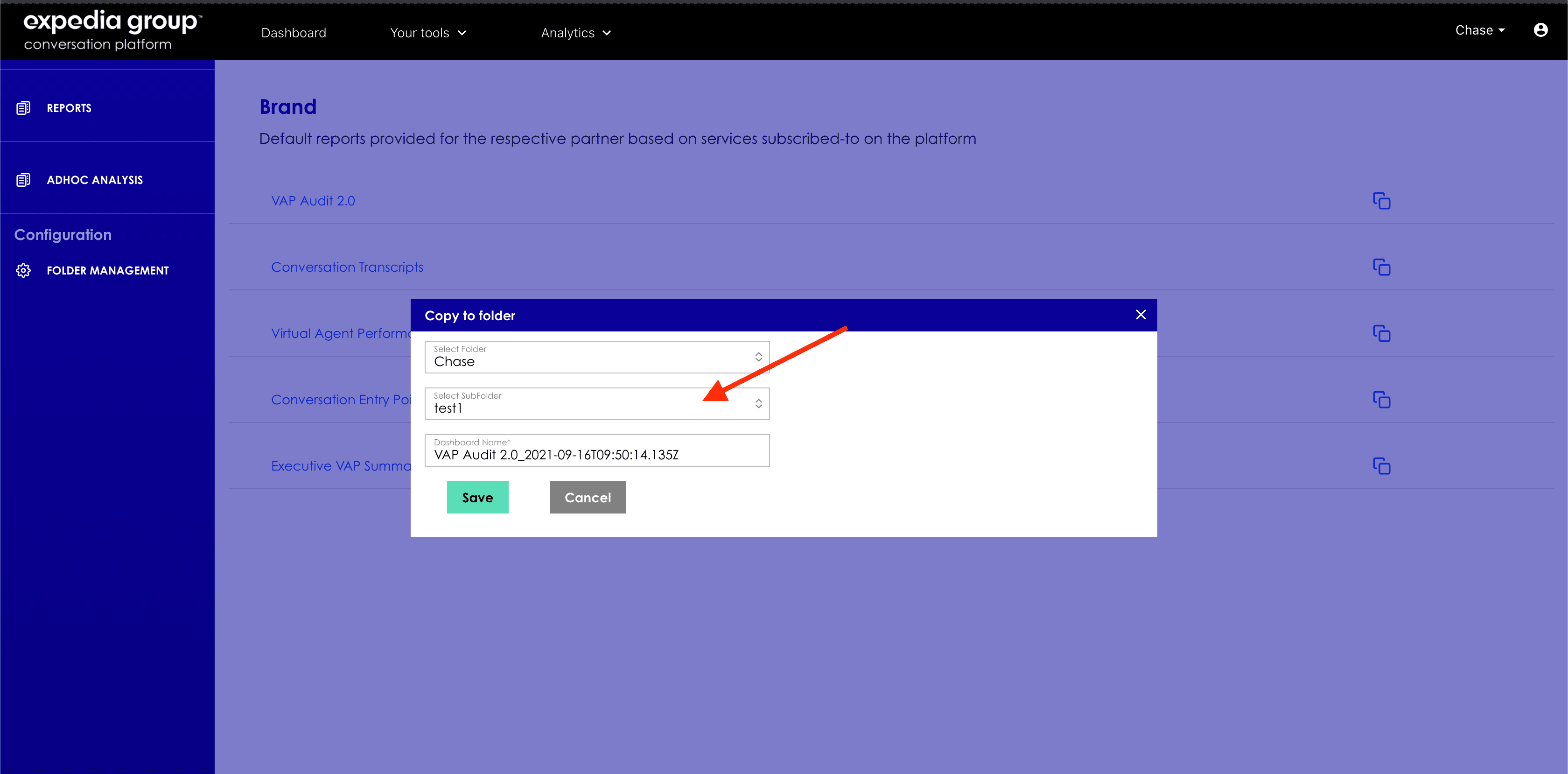
- To copy in partner space, select partner name in first dropdown and select parent folder in second dropdown.

- To copy in subfolder, select partner name in first dropdown and select sub folder in second dropdown.
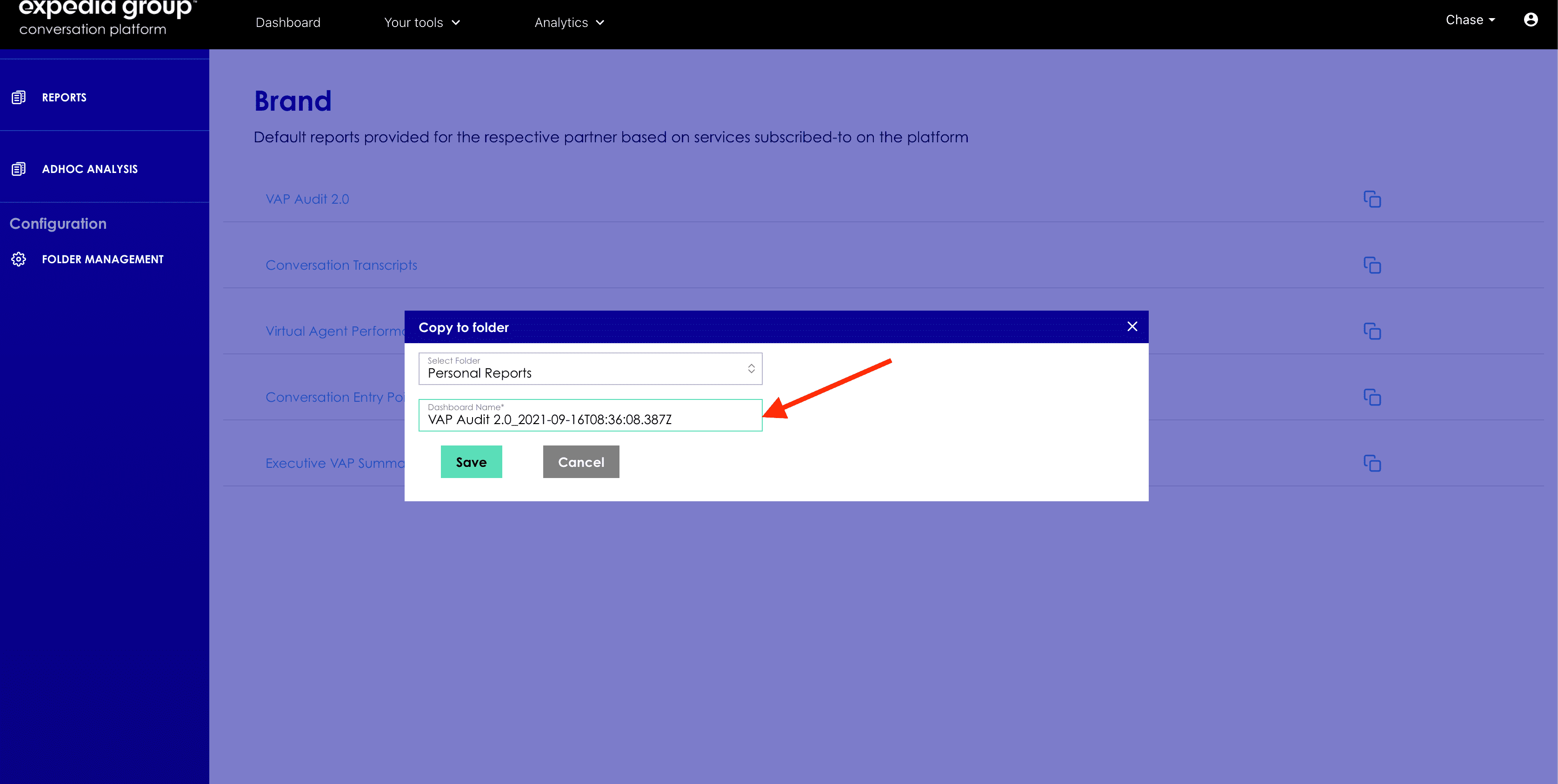
- Rename the target dashboard- by default the target dashboard will be created with the current timestamp (UTC timezone) and users can rename anytime if required.
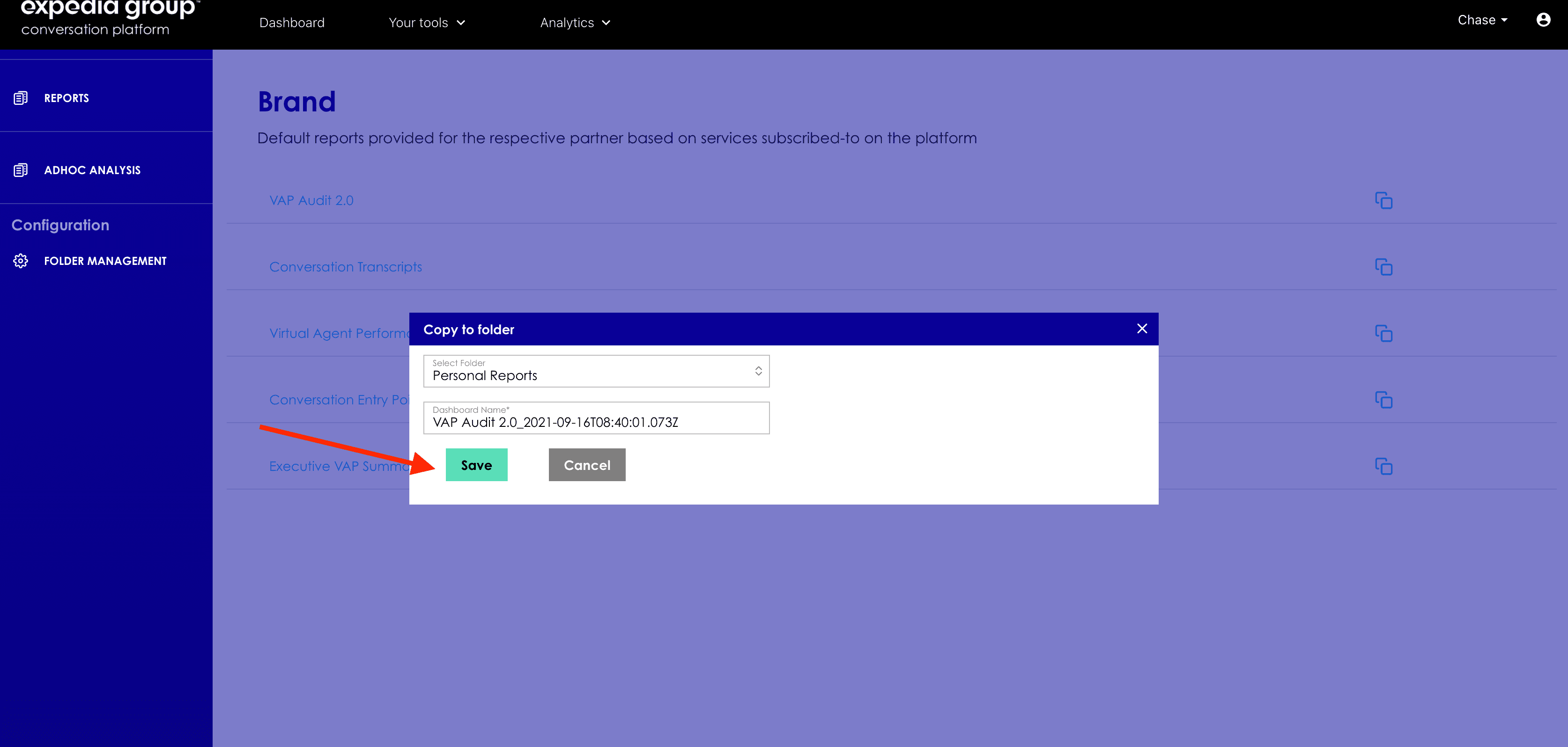
- Click on save button to copy dashboard.
- Upon successful copy you will see success notification.
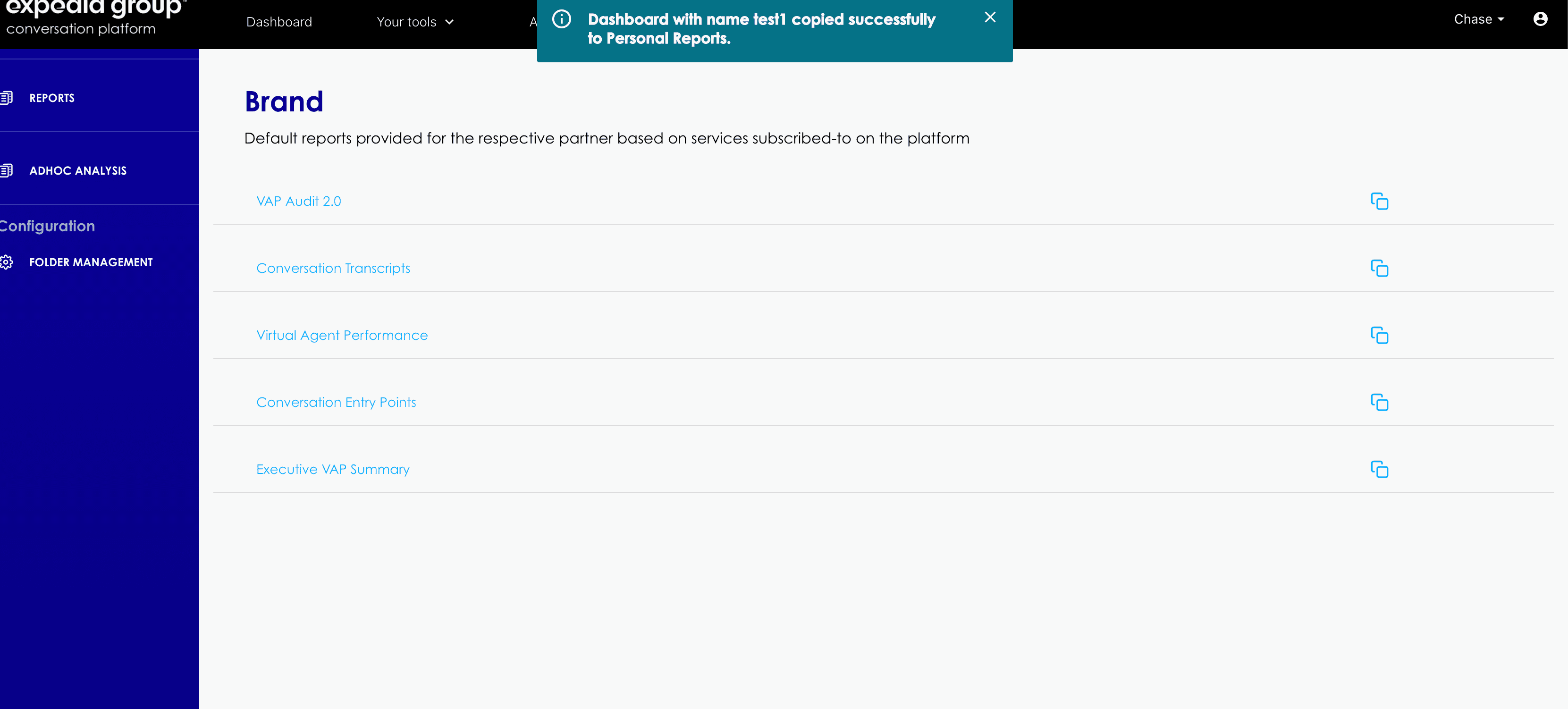
- Once saved with current timestamp user can rename dashboard anytime if required.


- If a dashboard exists with the same name then you will get an error message.

- You can view the new dashboard in target folder.

Roles and Permissions for Copy Dashboard Feature
- All the users will have access to copy in personal space.
- Users with Manage permissions can copy in their own partner space or sub folders in partner space.
- Copy dashboard feature is not available in partner switch mode.